MOVIN TRACIN Stage · Install the hardware
Mounting the sensors
On this page
Four sensors hang high around the stage. Clamp them to the truss if there is one; otherwise put them on light stands.
Either way, mount them 3–5 m above the floor with the LiDAR facing down. See What you need for the parts list.
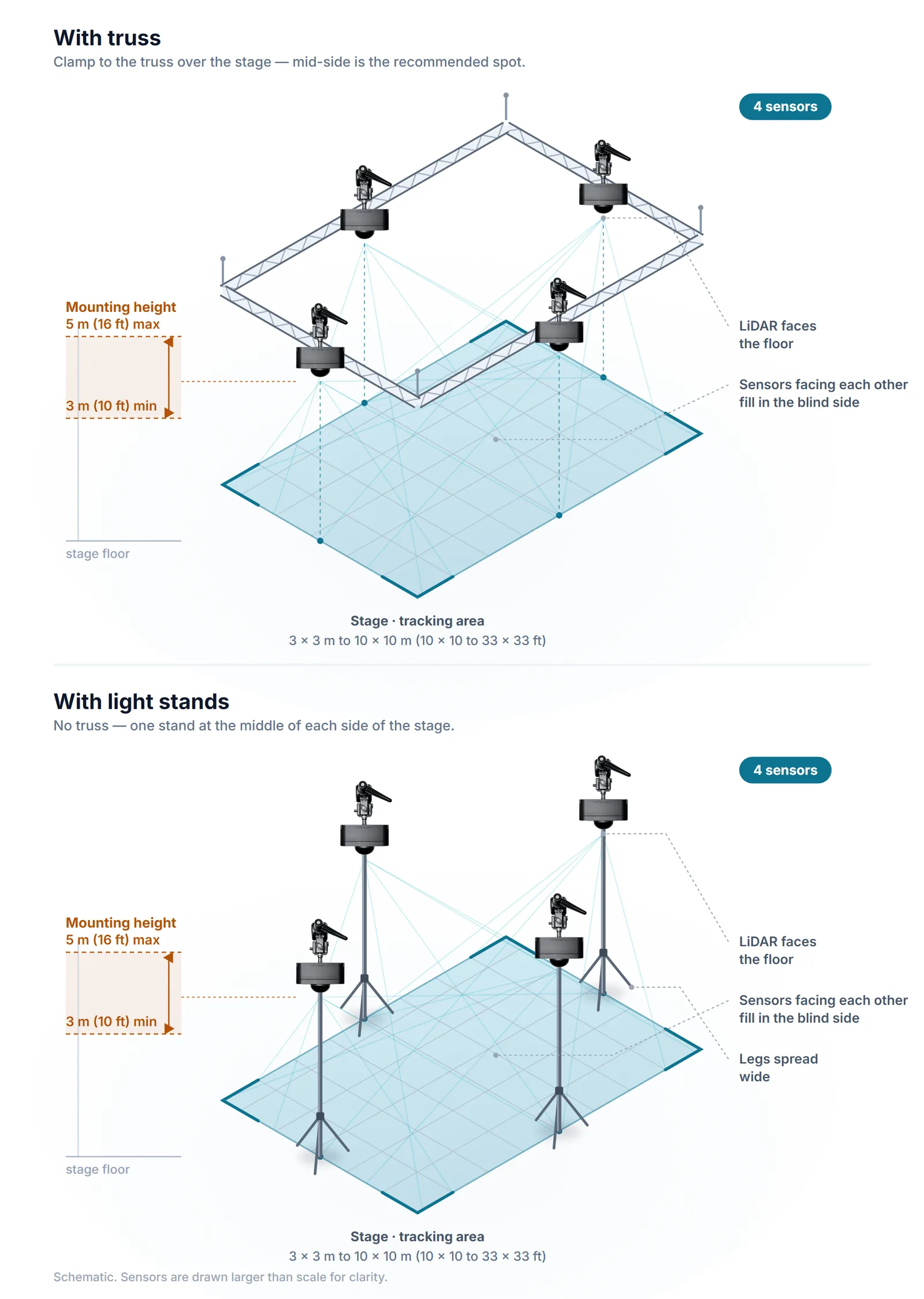
Where to place them
Mark out the capture zone as a rectangle and put one sensor at the middle of each side, or at the four corners when that is not possible.
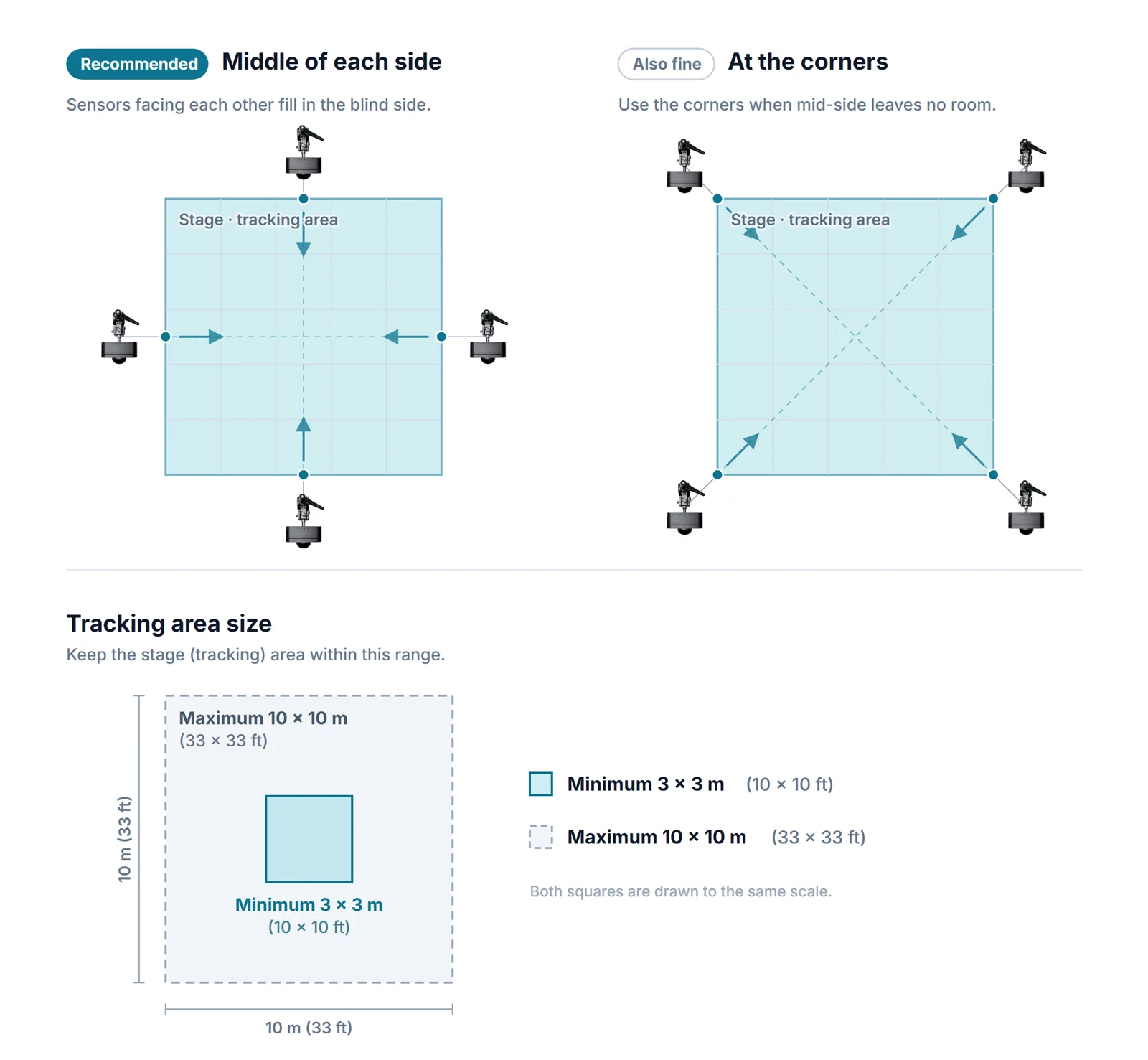
Sensor layout and capture-zone limits.
- Height — 3–5 m (10–16 ft) above the stage floor.
- Overlap — neighboring sensors must see overlapping ground. During calibration the wand has to be visible to two or more sensors at once for the alignment to work.
- Clear line of sight — keep speakers, lighting fixtures, set pieces, and drapes out of the way. Anything blocked is not captured.
How to mount
- Set up the stand and spread its legs wide. Skip this step when rigging to truss.
- Fix the super clamp to the stand pole or truss pipe and tighten it firmly.
- On a stand, fit the 90° mount to the clamp so the sensor can face down. On truss, use the clamp as is.
- Fit the stud, then screw the sensor onto it by its 3/8 inch threaded hole. Check that the LiDAR faces down and sits level.
- Plug the network cable into the sensor, run it down along the stand, and secure it with cable ties, leaving a little slack just below the sensor.
When rigging to truss, attach a safety cable if you have one.
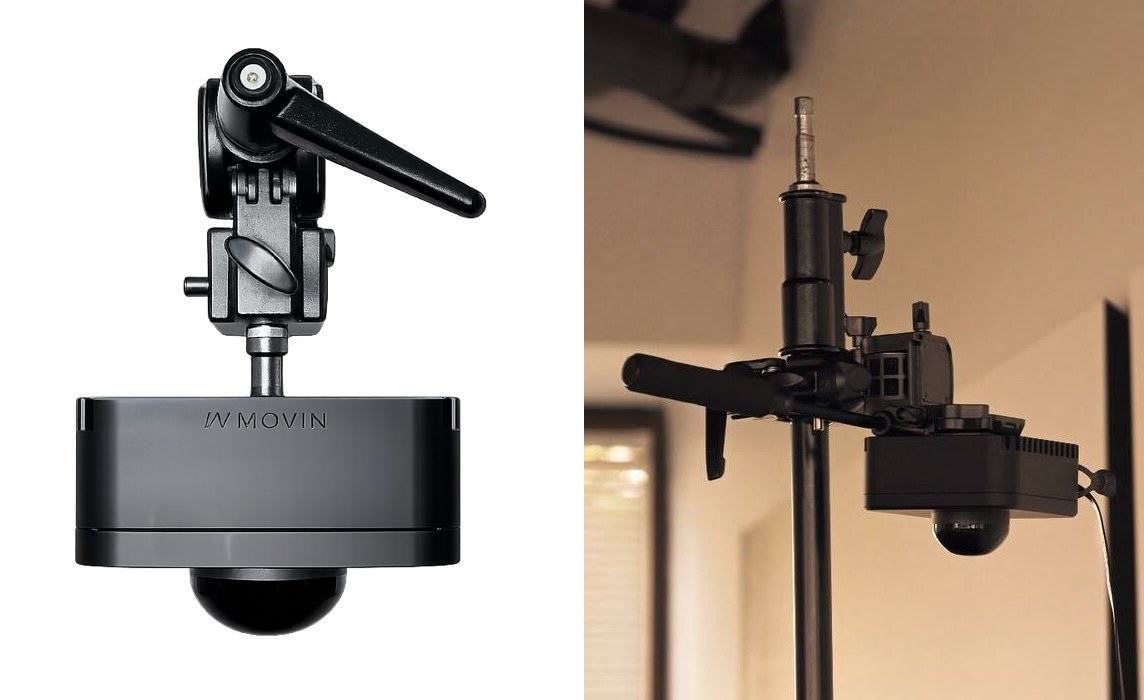
Left: on the stud — the LiDAR faces down. Right: clamped to a light stand.
Cabling
The sensor has no power adapter. The network cable from the PoE switch carries both power and data, so the sensor turns on as soon as it is plugged into a PoE port on a powered switch.
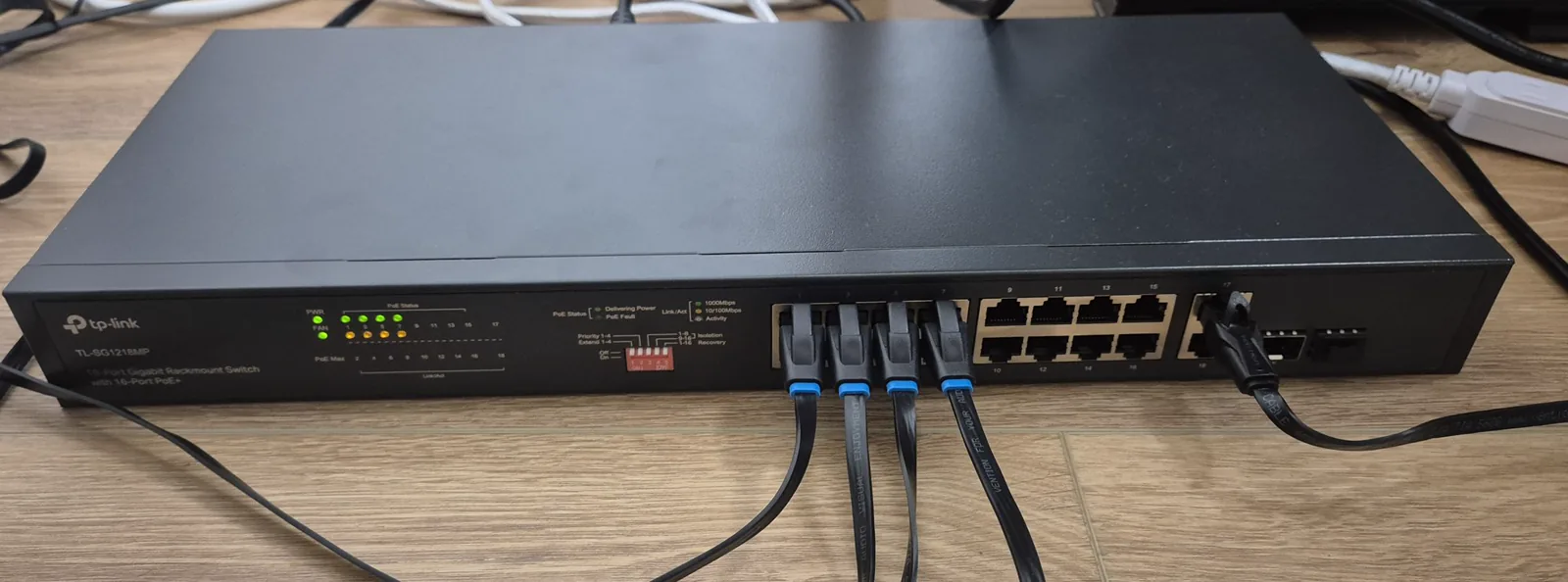
One cable per sensor into the PoE ports; the port on the right goes to the server.
- Run each sensor's cable down to the switch supplied with the system and plug it into any PoE port — the numbered group on the left. The PoE light for that port comes on once the sensor is powered.
- Join the switch to the server with one more cable: use port 17 or 18 on the right — those two do not supply power — and plug the other end into the server's LIDAR port.
Calibration is computed from where the sensors sit. If a sensor is moved, or a stand drifts during a show, tracked positions shift — keep stands out of walkways.
Next, connect the monitor, keyboard, and mouse to the server, then power on.