MOVIN TRACIN · MOVIN Studio Usage Guide
Streaming Mocap Data into ROS by OSC
ROS is an open-source framework for developing robotic applications. It allows you to connect sensors, control systems, visualization tools, and more within a unified architecture.
Motion data captured with MOVIN TRACIN and MOVIN Studio can be streamed in real time or played back from recorded files within a ROS 2 environment. The data can then be retargeted to a robot model, allowing you to visualize its movement in RViz2 or integrate it directly into your robot control pipeline for further development.
Prerequisites
Before integrating with ROS, please make sure your environment is properly set up as described below.
- ROS 2:
- Humble (tested)
- Required ROS 2 Packages:
robot_state_publisherrvix2xacrotf2_ros
- Required pip Packages:
numpyscipymovin-sdk-python(Required for BVH file loading and real-time mode)
-
Download Motion-Player-ROS
cd ~/ros2_ws/src git clone https://github.com/MOVIN3D/Motion-Player-ROS- Navigate to the
srcfolder of your ROS 2 workspace and clone the Motion-Player-ROS repository.
- Navigate to the
-
Install MOVIN SDK Python
pip install git+https://github.com/MOVIN3D/MOVIN-SDK-Python.git- Before proceeding, check that all required packages from the Prerequisites section are installed.
- The
movin-sdk-pythonpackage is necessary for BVH file loading and real-time live streaming.- For more information about MOVIN-SDK-Python, please refer to the repository link.
-
Build the Package
cd ~/ros2_ws colcon build --packages-select motion_player- Move to the root of your workspace and build the
motion_playerpackage.
- Move to the root of your workspace and build the
-
Source the Workspace
source ~/ros2_ws/install/setup.bash- After building, source the
install/setup.bashfile in your terminal session.- This step is required for ROS to recognize the
motion_playerpackage.
- This step is required for ROS to recognize the
- After building, source the
-
Run Real-Time Mode
ros2 launch motion_player realtime.launch.py- Launch real-time mode to receive motion data from MOVIN Studio.
- In real-time mode, you can:
- Real-time Retargeting: Retargeting motion data instantly to a robot model
- Real-time Visualization: Visualize both the mocap skeleton and the retargeted robot motion simultaneously in RViz2
ros2 launch motion_player realtime.launch.py port:=11235 human_height:=1.80 skeleton_offset_x:=1.5- You can customize parameters as needed:
Argument Default Description port11235UDP port to listen for OSC mocap data robot_typeunitree_g1Target robot type ( unitree_g1orunitree_g1_with_hands)human_height1.75Human height in meters for scaling skeleton_offset_x1.0X offset to place skeleton beside robot urdf_file(package default) Path to custom URDF file rviz_config(package default) Path to custom RViz config file You may also run the node directly using the
--realtimeflag:ros2 run motion_player motion_player --realtime --ros-args -p port:=11235 -p human_height:=1.8 -
Start OSC Streaming in MOVIN Studio
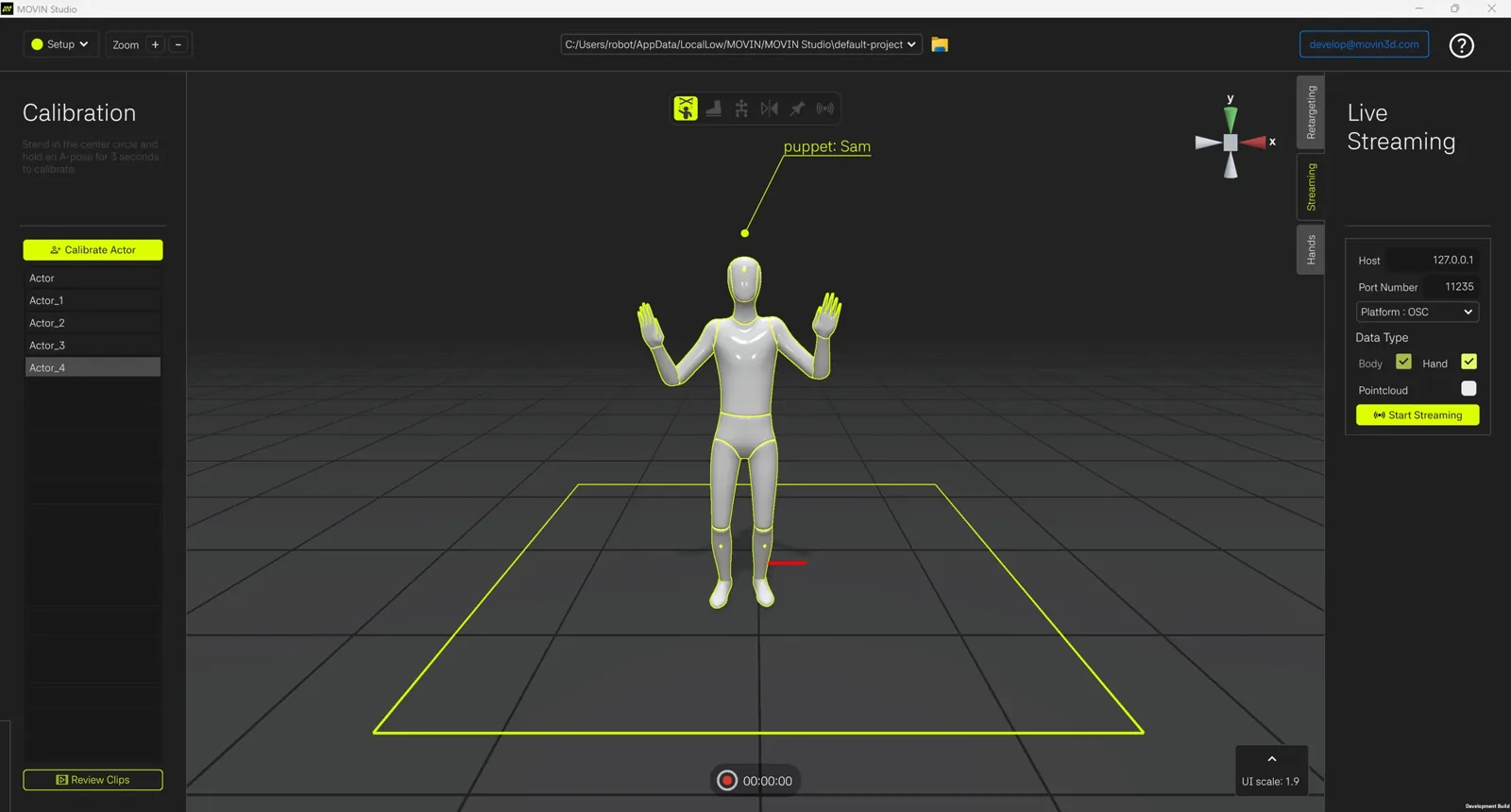
- Start OSC streaming in MOVIN Studio.
- Please check that the port number configured in ROS matches the port number set in MOVIN Studio.